 Hello Friends, On the latest update for PD-Proxy free gprs trick: PD -proxy is working once again in many states (e.g. Chhattisgarh confirmed). PD-Proxy trick which was working on Udp, Tcp, Icmp is also stopped in many states but here we come with the latest Working Pd-proxy trick. Just Do settings as shown in screenshot below.. & Enjoy
Friday, November 2, 2012
Airtel Free GPRS with PD-Proxy Working again october 2012
Hello Friends, On the latest update for PD-Proxy free gprs trick: PD -proxy is working once again in many states (e.g. Chhattisgarh confirmed). PD-Proxy trick which was working on Udp, Tcp, Icmp is also stopped in many states but here we come with the latest Working Pd-proxy trick. Just Do settings as shown in screenshot below.. & Enjoy
Thursday, October 25, 2012
How to Make your Nokia Symbian Phone a Wi-Fi Hotspot
 So do you want to use your Nokia phone as Wi-Fi Hotspot so that you can access internet on different laptops and other portable devices through your mobile phone than tune into this post because we are going to show you how you can make your Nokia Phone into a Wi-Fi Hotspot.
JoikuSpot is an awesome application for mobile phone which makes your Nokia Phone a Wi-Fi Hotspot. So that you can use its 3G connection with you laptop or other wi-fi enabled device.
JoikuSpot has three version 2012, premium and light version tats available for free. The free version comes with some limited version bundled to it but still for free you can easily convert your 3G mobile connection and stream it through Wi-Fi. Well it’s a good + free app which you will surely like so have fun and enjoy Symbian lovers.
iPadian - Awesome iPad Emulator for Windows Download
Now enjoy iPad right on your Windows by simply using iPad emulator for Windows, iPadian simply gives you enjoyable iPad interface you have to download the iPadian package from below and than run the iPadian file in that package and your iPad will be running on Windows machine.
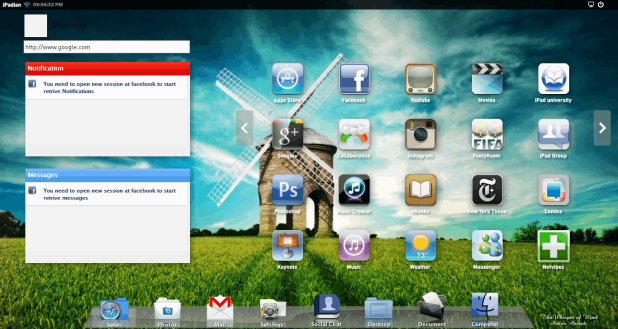
iPadian also contains all the basic and useful apps like safari which helps you in browsing internet really easily and all the major apps like Facebook, Google+ etc. you can check the below screenshot which contains my website layout opened in safari browser.

So you can download and grab more information on iPadian from their official website, so have fun enjoying iPad on your windows.
Wednesday, October 24, 2012
Transform your Windows 7 into "Zune" with this Skin Pack

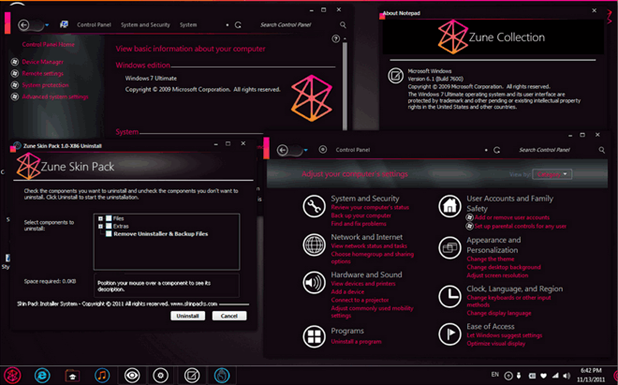
Another great skin pack for Windows 7 Zune Skin Pack created by skin king "HamedDanger" a DeviantART guy, well this skin pack comes with a nice contrast and colors, I loved the icons and nice loading bars. The start menu is also replaced and look awesome, well overall it’s a good creation and works well but still there can be any issues you might face.
© 2012 Google - Terms of Use Google Data Center, Lenoir, NC Address is approximate Google data center - Lenoir, North Carolina
 Earlier we posted out a simple tool calledlogon image changer for changing your login image to any desirable image you want, to day I found another interesting tool called "Drives Background Image" developed byMubashar Islam for changing your background images in local drives, USB drives, floppy drives and other storage area.
This simple claims to change background images for possibly any drive that can be seen in Windows, just select that drive and choose your image which you wanna assign as a background. You can also change icons for your drives and even change the text color. So all in one this tool can be useful at the time you are seriously into modifying your PC according to your preference. So if you are interested in this amazing tool than check out the below steps on how you can download this and use this on your PC.
- Download Drives Background Image tool from Softpedia Website.
- Now just this tool it’s a simple .exe file so it will not install anything just run it and assign your wallpapers easily.
- Now choose the drive from the list displayed and press Select Picture.
- Now just assign it and have fun changing your icons and images easily.
Subscribe to:
Posts (Atom)